Dieser Artikel bezieht sich auf das Produkt Professional Email (powered by Titan). Wenn Sie ein Professional Email Indiviudal oder Teams nutzen bzw. ein Microsoft 365, gehen Sie bitte auf unsere FAQ Startseite https://www.hosteurope.de/faq/ und wählen Sie dort den richtigen Produktbereich Professional Email oder Microsoft 365 aus. Dort finden Sie die passenden Informationen.
In diesem Artikel beschreiben wir, wie Sie ein neues E-Mail-Konto mit Professional Email anlegen können.
Die Einrichtung erfolgt in der E-Mail-Administration (Erläuterung Login E-Mail-Administration).
Rufen Sie dort den Menüpunkt "Konten einrichten" auf.
- In dem nun erscheinenden Menü geben Sie die zu verwendende Domain an. Hierzu werden Ihnen automatisch alle unter Ihrer Kundennummer verwalteten Domains angeboten. Zudem haben Sie die Möglichkeit, eine Domain zu verwenden, die nicht unter Ihrer Kundennummer verwaltet wird.
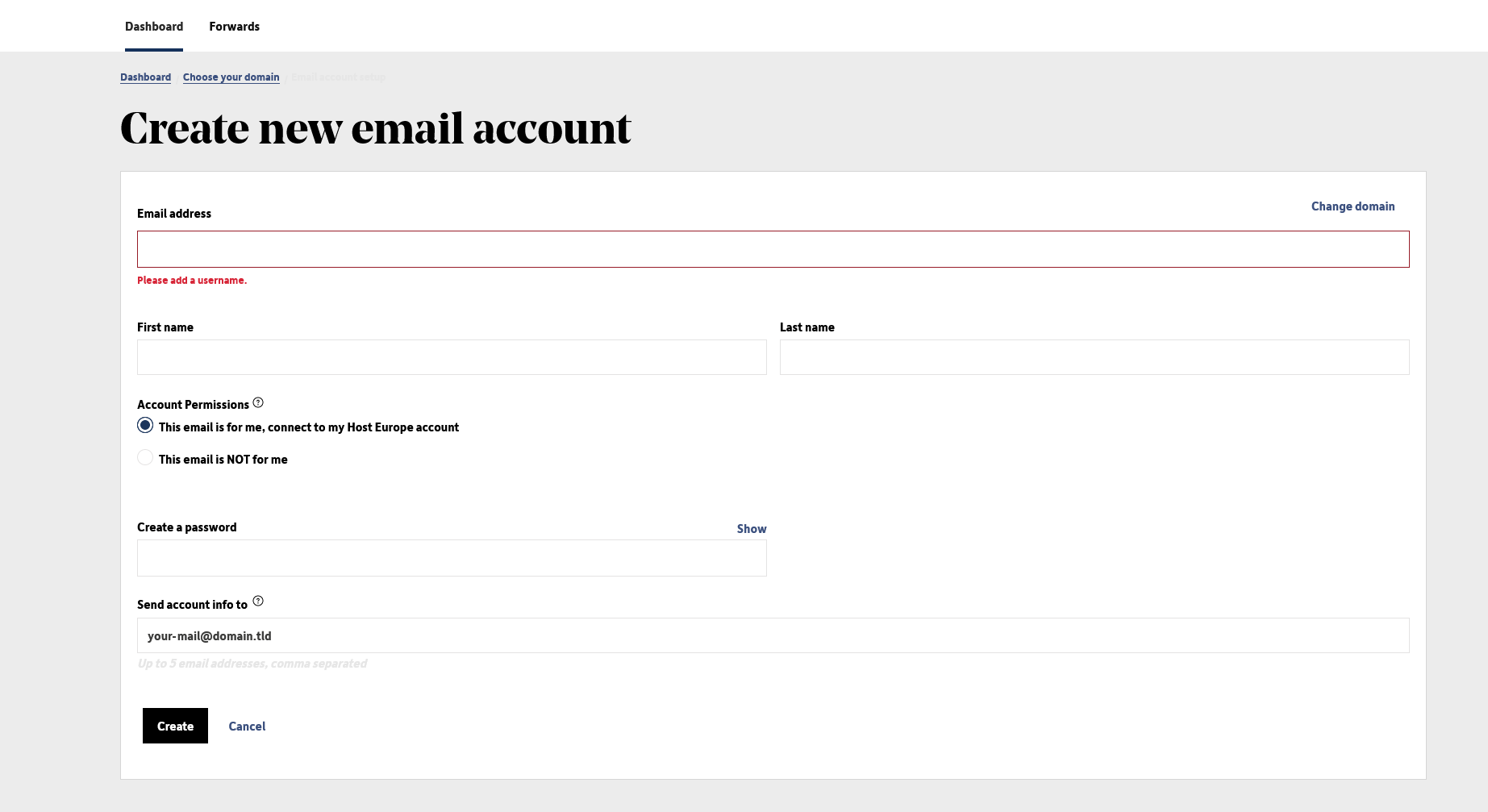
- Anschließend geben Sie die abgefragten Daten zu Ihrem neuen Benutzer an.
- Die Einrichtung schließen Sie durch die Nutzung der Schaltfläche "Erstellen" ab.
English Version:
How do I set up an email account?
This article refers to the Professional Email product (powered by Titan). If you use Professional Email Individual or Teams or Microsoft 365, please go to our FAQ homepage https://www.hosteurope.de/faq/ and select the correct product area, Professional Email or Microsoft 365. There you will find the relevant information.
In this article we describe how to create a new email account with Professional Email.
Setting up a new email account can be done in the E-Mail-Administration (Explanation Login E-Mail-Administration)
There, call up the menu item "Set up accounts".
- In the menu that appears, enter the domain to be used. All domains managed in your account will automatically be offered to you.You also have the option to use a domain that is not managed in your account.
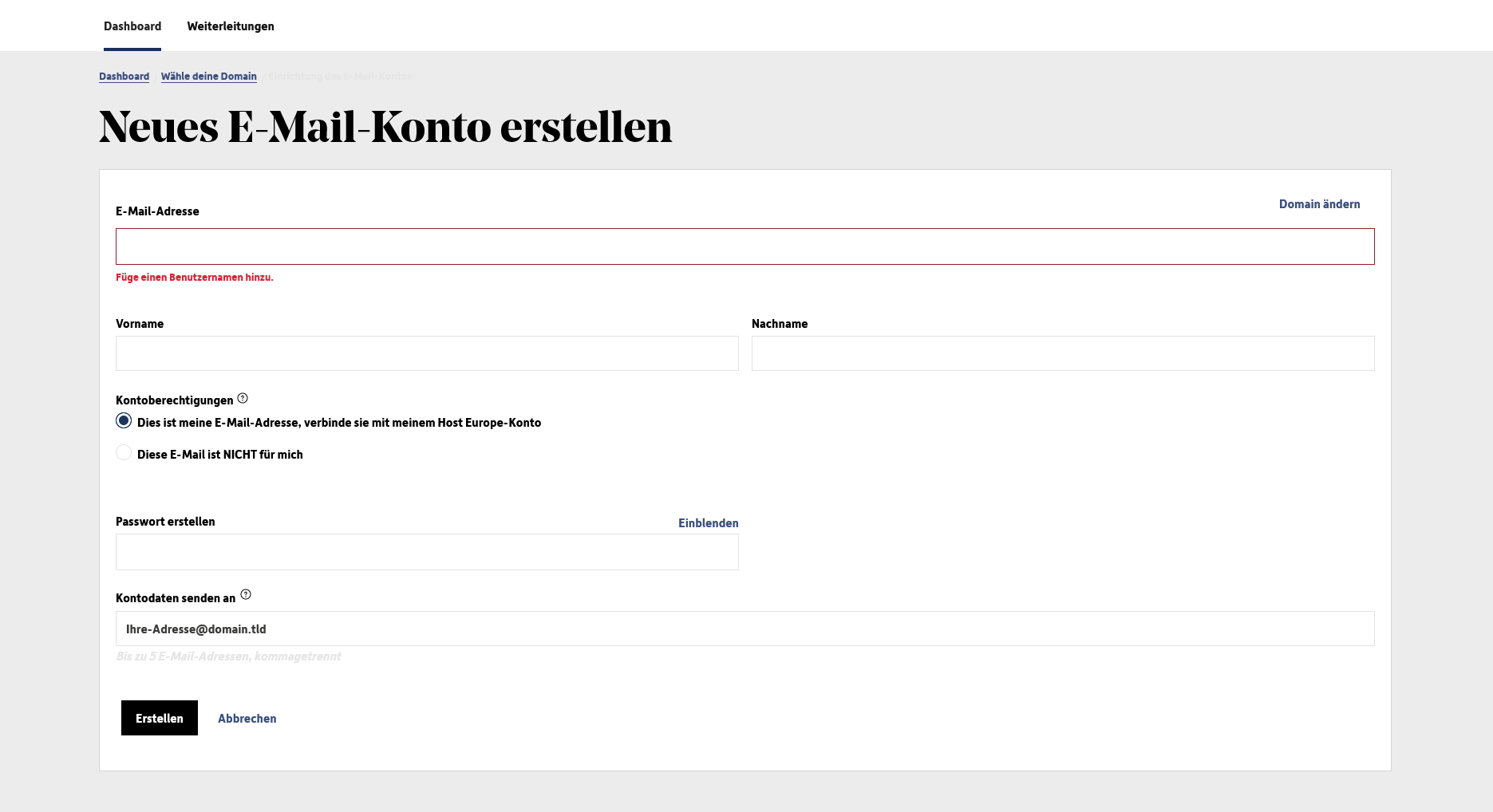
- Then enter the requested data for your new email account.
- Complete the setup by using the "Create" button.