Dieser Artikel bezieht sich auf das Produkt Professional Email (powered by Titan). Wenn Sie ein Professional E-Mail Indiviudal oder Teams nutzen bzw. ein Microsoft 365, gehen Sie bitte auf unsere FAQ Startseite https://www.hosteurope.de/faq/ und wählen Sie dort den richtigen Produktbereich Professional Email oder Microsoft 365 aus. Dort finden Sie die passenden Informationen.
Die KI in Titan Mail unterstützt Sie beim Schreiben, Lesen und Verwalten Ihrer E-Mails – direkt im Posteingang integriert.
Was kann die Titan Mail KI?
Die wichtigsten Funktionen im Überblick:
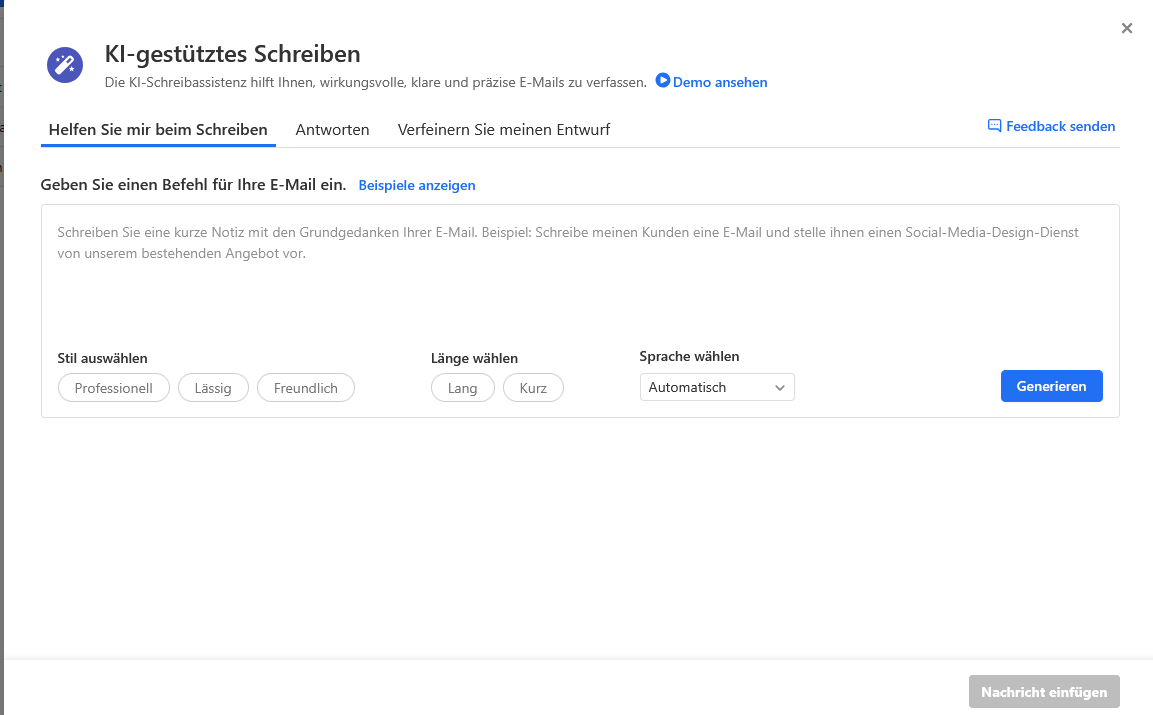
Smart Write (Schreibassistent)
- Erstellt E-Mails, generiert Antworten und verbessert bestehende Texte.
E-Mail-Zusammenfassungen
- Fasst lange Nachrichten und Threads automatisch zusammen.
Textoptimierung
- Verbessert Stil, Ton und Verständlichkeit Ihrer E-Mails.
Wie verwende ich die KI?
Wenn Sie eine neue E-Mail schreiben oder auf eine E-Mail antworten, erscheint im Editor der Punkt "KI-Texte". Klicken Sie darauf, um einen Text generieren zu lassen.
Zusammenfassung einer E-Mail anzeigen
- E-Mail öffnen
- Auf „KI-Zusammenfassung“ klicken
- Kurzfassung wird automatisch erstellt
Wann ist die KI sinnvoll?
- Wenn Sie täglich viele E-Mails bearbeiten
- Für schnelle Antworten
- Für professionellere Formulierungen
Fazit
Die Titan Mail KI spart Zeit, verbessert Ihre E-Mails und sorgt für mehr Übersicht im Posteingang.
English Version:
What are the AI features inside the webmailer of Professional Mail (powered by Titan)?
This article refers to the Professional Email product (powered by Titan). If you use Professional Email Individual or Teams or Microsoft 365, please go to our FAQ homepage https://www.hosteurope.de/faq/ and select the correct product area, Professional Email or Microsoft 365. There you will find the relevant information
The AI in Titan Mail helps you write, read, and manage your emails – directly integrated into your inbox.
What can Titan Mail AI do?
Key features at a glance:
- Smart Write (writing assistant)
- Creates emails, generates replies, and improves existing text.
- Email summaries
- Automatically summarizes long messages and email threads.
- Text optimization
- Improves tone, style, and clarity of your emails.
How do I use the AI?
When composing a new email or replying to one, you will see the option “AI Text” in the editor. Click it to generate text.
View an email summary
Open an email
- Click on “AI Summary”
- A short summary is generated automatically
When is AI useful?
- When handling many emails daily
- For quick replies
- For professional wording
Conclusion
Titan Mail AI saves time, improves your emails, and helps you stay organized in your inbox.