Dieser Artikel bezieht sich auf das Produkt Professional Email (powered by Titan). Wenn Sie ein Professional Email Indiviudal oder Teams nutzen bzw. ein Microsoft 365, gehen Sie bitte auf unsere FAQ Startseite https://www.hosteurope.de/faq/ und wählen Sie dort den richtigen Produktbereich Professional Email oder Microsoft 365 aus. Dort finden Sie die passenden Informationen.
In diesem Artikel beschreiben wir, wie Sie die E-Mail Speicherplatzauslastung von Professional Email (powered by Titan) einsehen können.
Über den Webmailer:
Der Login in den Webmailer für Ihr Professional Email Konto ist über https://email.secureserver.net möglich.
Klicken Sie dann oben rechts auf das Zahnradsymbol (Einstellungen) und anschließend auf Präferenzen.
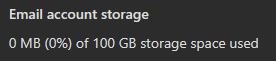
Nun können Sie in der linken Leiste Konto auswählen und dort sehen Sie die Speicherplatzauslastung.

Über die E-Mail Administration (erreichbar über das KIS):
Folgen Sie hierzu bitte nachfolgendem Pfad im KIS.
Zunächst finden Sie eine Auflistung Ihrer E-Mail-Verträge. Auf dieser Seite werden alle Professional Email-Verträge als auch Microsoft 365 Verträge (sofern vorhanden) aufgelistet. Oben rechts gibt es einen Filter, über welchen Sie nach der Produkt-Kategorie filtern können.
Wählen Sie rechts beim entsprechenden Konto Konfigurieren, um zur E-Mail-Administration zu gelangen.
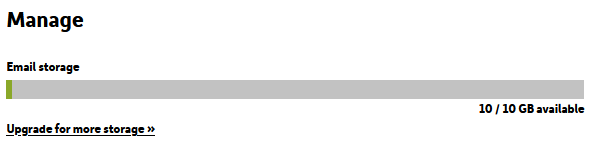
Dort sehen Sie dann die Speicherplatzauslastung des E-Mail-Kontos.
English Version:
How do I check the email storage usage?
This article refers to the Professional Email product (powered by Titan). If you use Professional Email Individual or Teams or Microsoft 365, please go to our FAQ homepage https://www.hosteurope.de/faq/ and select the correct product area, Professional Email or Microsoft 365. There you will find the relevant information.
In this article, we describe how you can view the email storage usage of Professional Email (powered by Titan) .
Via the Webmailer:
You can log in to the webmailer for your Professional Email (powered by Titan) at https://email.secureserver.net.
Then click on the gear icon (Settings) in the top right corner, followed by Preferences.
You can now select Account in the left sidebar, where you will see the storage usage.
Via the Email Administration (accessible via KIS):
Please follow the path below in KIS.
First, you will find a list of your email contracts. This page lists all Professional Email contracts as well as Microsoft 365 contracts (if applicable). In the top right corner, there is a filter that allows you to filter by product category.
On the right side, select Configure for the corresponding account to access the Email Administration.
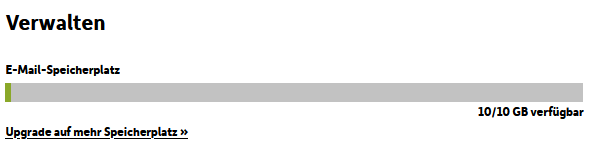
There you will then see the storage usage of the account.