Hier finden Sie Informationen zur Verwaltung der Administratorrechte von Microsoft 365 Benutzern.
Falls Sie sich für erweiterte Einstellungen in einer der Admin Center Oberflächen (Exchange/EntraID) von Microsoft 365 einloggen möchten, dann muss der Benutzer als Administrator festgelegt sein.
Bitte loggen Sie sich dazu über das KIS in die E-Mail-Administration ein. (Erläuterung Login E-Mail-Administration)
Dort haben Sie die Möglichkeit dies für jeden Benutzer einzeln einzustellen.
Im Überblick der E-Mail-Administration finden Sie die Liste Ihrer Benutzer mit einer entsprechendedn Markierung bei Benutzern die bereits Administrator sind.
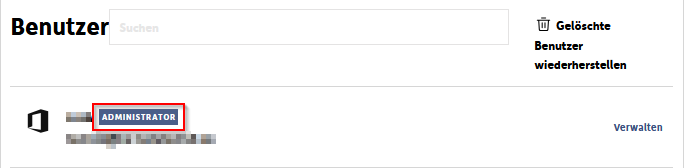
Um dies anzupassen klicken Sie rechts neben dem Benutzer auf Verwalten.
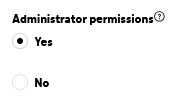
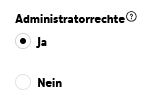
Im Bereich Kontodaten können Sie auf Bearbeiten klicken um anschließend die Administratorrechte anzupassen:
English Version:
How can I manage the administrator permissions of a user?
Here you will find information on managing the administrator permissions of Microsoft 365 users.
If you would like to log in to one of the Admin Center interfaces (Exchange/EntraID) of Microsoft 365 for advanced settings, the user must be set as an administrator.
To do this, please log in to the Email Administration via the KIS. (Explanation Login Email Administration)
There you have the option to configure this individually for each user.
In the overview of the Email Administration, you will find the list of your users with a corresponding mark next to users who are already Administrators.
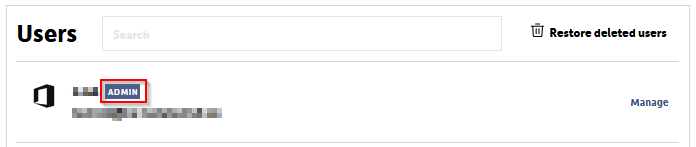
To adjust this, click on Manage to the right of the user.
In the Account information section, you can click Edit to then adjust the Administrator Permissions: